Status Update

Another Wednesday, another status update. As you might have noticed we’re killing bugs as fast as we can right now. We know there are more in there, so our focus is to continue to do that for as long as we need to.

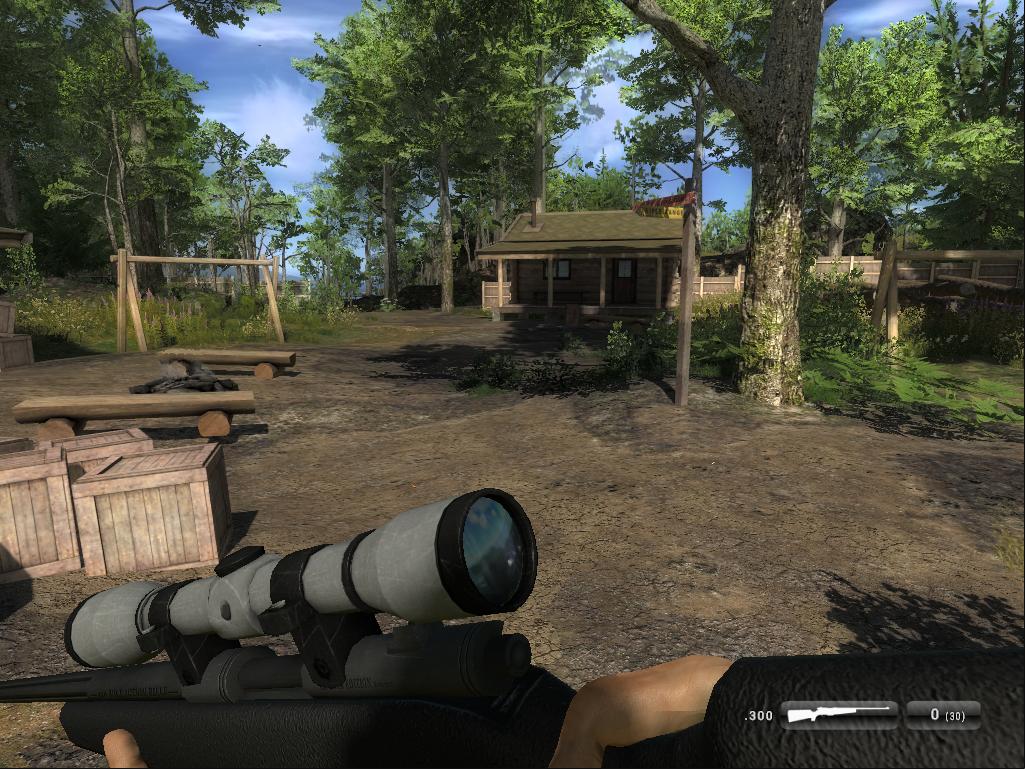
We hear a lot of voices raised about the first person animations, we know some of you don’t like it as it is, but, as we’ve mentioned before, we’re working on remaking them. It will take time and we can’t release them one by one, so right now you just have to bear with us. But remember, good things comes to those who waits… 😉

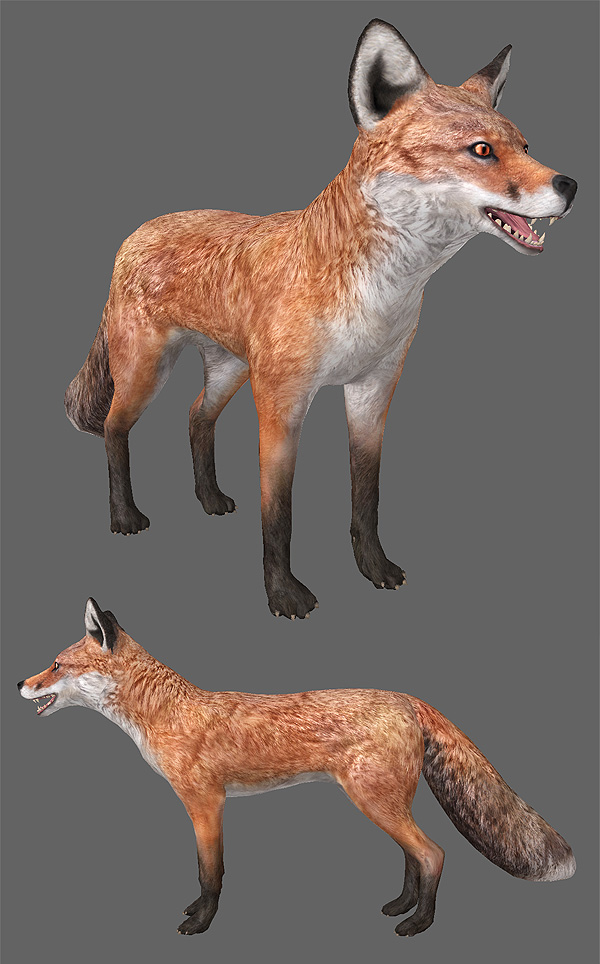
Work on the fox is going well, but we still have a lot of work left before we can start testing it. We’ll let you guys know more at a later stage.

We would like to thank the fantastic people who helped us test multiplayer, the alpha and beta test teams. We would never have completed multiplayer as fast as we did without your help.
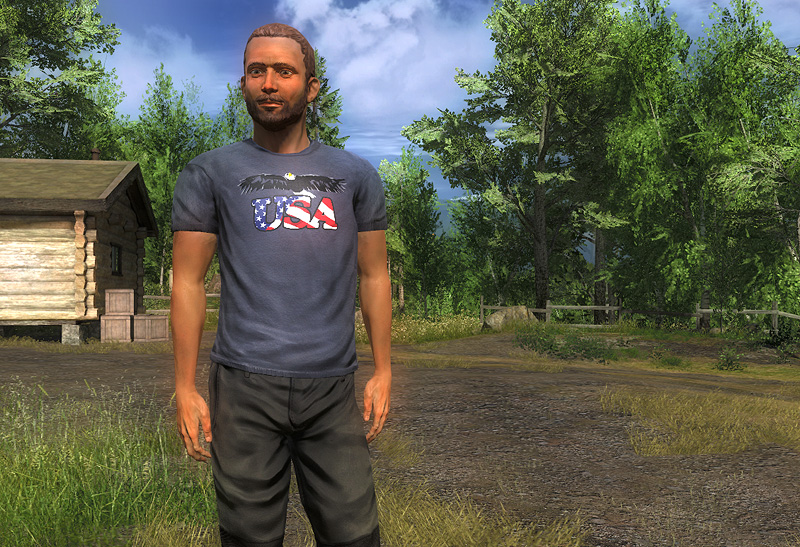
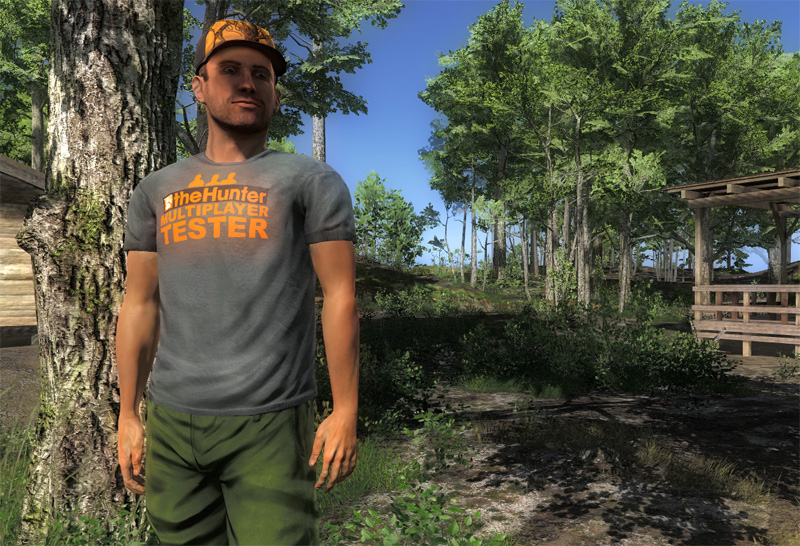
As a token of our gratitude we’ve awarded you with a special in-game item that only you guys and gals will ever receive. We know it’s not much, compared to what you have done for the game, but at least other players will be able to see that you were part of the team that made multiplayer happen when they see your avatar in theHunter.

We’d also like to thank all the members of the community who helped other players during the update. There were a bunch of you in the live chat and some have helped out on Facebook and in the forums. Having such helpful people in the community is such a great support for our small dev team.

We’ve also awarded Pioneers and Wardens with a special item as well, so others can see that you, back in the days, were early supporters of the game and are still around.

Happy Hunting!

Comments

Share this
Facebooktwitterredditmail

Game Update

Features
* The chat now shows a time stamp for every message and notification
* You can now bind zoom in / out keys.

Bug fixes
* Fix for the “shoot through animal” bug
* Auto-walk is disabled when entering the Confirm kill screen
* Changing stance does not spook animals as easily as before
* Optimized the amount of data sent at connect
* You can no longer connect to a full game
* Fix for the “pickup collectable” crash
* Fast travel distance is not added to your total traveled distance in the statistics
* AI – Animals did not see or hear you in certain situations.
* Fix for crash when connecting to a game
* Increased the time without network packets before the “connection issue” screen is shown

Comments

Share this
Facebooktwitterredditmail

Server Update

Features
– Animals licenses are now listed when hovering the mouse over your membership type

Bug Fixes
– Members now correctly always get 3 boxes of basic ammo for each owned weapon every time the client is started
– Tracer arrows and other ammo that have been purchased outside the membership no longer spontaneously disappear from the inventory*
– Empty ammo boxes and other consumables are now always removed correctly from the inventory when depleted
– Competition trophies, Em$ and “Doc messages” are now awarded correctly when competitions end**.

*We are working on restoring the ammo lost during the weekend to those affected. This should be completed in a couple of hours.

**We are working on restoring the trophies (Easter etc.) that went missing at the multiplayer launch.

Comments

Share this
Facebooktwitterredditmail

Status Update

Dear hunters,

So we launched multiplayer. We are so happy it’s finally out and we hope that most of you are so too. We know some of you guys don’t like changes, but in this case change was inevitable. Change isn’t always a bad thing and it helps if you are open and embrace it.

We know that there still are some bugs in there and, as we told you in a previous status update, we’ve planned to fix them now. Some of the bugs that might appear will only show up now when we get thousands of players coming in to play the game. Our aim is to fix them as soon as we possibly can. So bear with us while we fix them. Today we’re releasing a new Launcher that will help us finding bugs and other issues.

We don’t see the release of multiplayer as us being finished just because it’s released, but rather the start of a new era. A new era containing a lot of improvements of the game and new features. So please don’t focus on finding changes you don’t like, but rather embrace what cool new features are there and how you can re-explore a world of hunting you’ve learnt to like and even love.

We’d like to thank Pratze, with friends, who made a fantastic multiplayer trailer (https://www.youtube.com/watch?v=9p2e_7z_jiA) and BillytheCrayon who made great informative videos (https://www.youtube.com/watch?v=3YhCueAuf8g) of the changes that came with multiplayer. We’d also like to thank all you fantastic people who helped out and seeded the torrent when we got overloaded, and all of you who helped other players when they had problems with the download.

I, Pim, would also like to, publicly, thank the team for the outstanding effort this has been.  I’ve never worked with such a dedicated and talented team before. What you guys have achieved is amazing. The number of hours you’ve put in is just crazy and I hope you feel that it was worth it. A big thanks goes to the team members families who have had to put up with a lot of absence. I hope you understand that Expansive Worlds and our community needed some extra time from them for a while. Thank you all!

A lot of the answers to the questions regarding changes after the release of multiplayer can be found here (e.g. first person animations):
https://news.thehunter.com/multiplayer-update-changelog/ (please read it through)

The most common problems people have come across seems to be the following:

Torrent problem
Possible solution: Delete the torrent folder where the game is installed (default: C:\Program Files (x86)\theHunter) and launch the Launcher through the game site

Settings problem (error 16008)
Solution: Change settings in the launcher (upper right corner) and save them.

The launcher shows a red error message saying “Error 16009 – Graphics card does not support D3DQUERYTYPE_EVENT”
It could be that your graphics card is not supported. You will need another graphics card to play the game. 

Happy Hunting!

Comments

Share this
Facebooktwitterredditmail

Multiplayer Update

Features

Multiplayer

Up to 8 players can now hunt together in the same game world.

Full Player Character

The player now has a full body opposed to the “floating torso” of the old game. Hundreds of player animations, including movement and item manipulation, have been completely remade from scratch using this new body.

There are now multiple in-game characters to choose from with matching web avatars. This means that when you pose by your trophy in the game this photo will match your avatar on the web.

Inventory Revamp

The inventory has been completely revamped. Most notable changes:

  • Previously the amount of items you were able to carry where limited by the size of the “backpack” grid and the size of the item icons. This has now been replaced with a system where icon size no longer matter. Each item instead has a “capacity cost” and the sum of the capacity costs of the items carried must be lower than the maximum carry capacity. This capacity can of course be increased like before by purchasing a backpack. This system is a lot more flexible than the old one and allows for some interesting gameplay tweaks such as high calibre ammunition taking more space than low calibre counterparts giving the low cals a much needed edge.

  • Items can now be more quickly equipped by directly clicking the slot that you want to place them in. This action brings up a list with only the items that are compatible with the selected slot.

  • Clothing can now be changed in the in-game inventory when you are in a lodge area or near a tent.

  • Item descriptions can now be read directly in the in-game inventory by pressing the corresponding “i” icon.

  • There are now a total of 10 equipment slots that allows quick access to carried items. Some can be used from game start while others require a specific HunterScore to unlock. The HunterScore restriction can be bypassed by purchasing pouches and holsters in the store:

    Slot

    Type

    HS Unlock Level

    Store Unlock Item

    Weapon 1

    Any Weapon

    0

    Weapon 2

    Any Weapon

    0

    Small Weapon 1

    Only Handguns

    600

    Small Weapon Holster

    Small Equipment 1

    Any Equipable Small Item

    0

    Small Equipment 2

    Any Equipable Small Item

    0

    Small Equipment 3

    Any Equipable Small Item

    0

    Small Equipment 4

    Any Equipable Small Item

    60

    Small Equipment Pouch 4

    Small Equipment 5

    Any Equipable Small Item

    180

    Small Equipment Pouch 5

    Small Equipment 6

    Any Equipable Small Item

    360

    Small Equipment Pouch 6

    Large Equipment 1

    Any Large Item

    0

Unequip Current Item

It’s now possible to unequip the currently equipped item (default key: H). This allows you to walk around with no item obstructing your view since you have nothing in your hands.

Local Chat

There is now a local chat that allows quick communication with everyone in the current multiplayer game (default key: Enter).

The local chat has some commands that can be used for advanced communication:

Command

Function

/w playername

Whisper a message to the targeted player. This message will not be shared with the rest of the players on the server.

/r

Whisper a reply to the last player to send you a whisper.

/players

Show the names of all players on the server.

/afk

Set your status to “Away From Keyboard”. This is only visible to other players if they have the “Show player names” option turned on.

/clear

Removes all text from the screen.

There are also some keyboard commands:

Key

Function

TAB

Auto-Completes player names. For example if there is a player called John42 on the server and you type “Jo” then press TAB the rest is automatically completed resulting in: “John42”.

UP/DOWN ARROW

Cycle previous entries

Full Screen Map Revamp

The full screen map has received a facelift and a couple of new features. One of them is fast travel which you can read about in the next section. The other is the ability to draw shared images in the map. This is a feature that we hope may come handy when planning hunting strategies.

Fast Travel

Retire to lodge/campsite has been replaced by more flexible fast travel system which lets you quickly travel to any lodge, campsite or tent on the map.

Using the fast travel option cost Camping Supplies just like the old retire to option used to. The cost is now, however, based on distance (1 supply / km).

Fast travel can only be used once every in-game hour and will spook all animals at the target location once you arrive.

Fast travel is performed by entering the full screen map (default key: M) and clicking on the location you want to travel to. More information can be found by reading the store/inventory description of Camping Supplies.

First Aid Kit

The First Aid Kit can now be used to heal fallen friends in addition to healing yourself. Just walk up to your unfortunate friend and press the environment interaction key (default key: E).

Environment Based Camo

When browsing the store you’ll notice that there are a lot more types of clothing that there used to be. One of these is the “Sneaky 3D Summer Forest Camouflage Outfit”. What’s special about this set is that it’s using a new type of camo that give very good visual camouflage in the areas that it is tailor made for. In this case all forest areas at Whitehart, Logger’s Point, Settler Creeks and Red Feather Falls.

One of the advantages of using this camo is that it works on all species, not only deer, as in the case of the B&C camo. The downside is of course that you need to be more aware of your surroundings, for instance only get close when you are in a forest area, and that it has no scent or sound reduction. In the end it comes down to which species you expect to encounter and which environments plan to hunt in.

Options

All options except the graphics settings* can now be changed in the game client. There are also a couple of new options under “Gameplay”:

Option

Description

Show player names

Toggles the display of player name, distance and status in the game

Show item name

Toggles a permanent display of the currently equipped item in the low right corner of the screen

Show player spotting information

Toggles the display of player spotting information in the game.

Show animal spotting information

Toggles the display of animal spotting information in the game.

Enable chat

Toggles the display of the local game chat.

*Graphics settings are still set in the launcher using the “gear” button.

Web

In addition to the new features required to handle multiplayer games the webpage has also been completely revamped with a more modern and accessible interface.

Tweaks

Memberships

Guests can now enter any reserve, both in multiplayer and singleplayer, but are only allowed to hunt Mule Deer unless another license has been purchased.

Guests are not allowed to host multiplayer games but can join members if the host allows it.

Callers

All callers now work like the Roe & Red Deer callers. This means that you no longer need to press the left mouse button to enter “call mode” before calling. You can now call as soon as the caller is equipped by holding down the left mouse button. It’s now also possible to use all callers while walking/running.

Weapons

All weapons now have a slight zoom when using the iron sights to simulate the player “taking aim”.

Default Controls

The default controls of the game have been slightly modified in order to make room for new features and to make the game more accessible for new players. If you don’t like these controls it’s possible to change them using the options menu. These are the changes:

Action

New Default

Toggle Walk/Run

C

Raise Weapon

Right Mouse Button

Zoom In (Optics)

Mouse Wheel Up

Zoom Out (Optics)

Mouse Wheel Down

Unequip Item*

H

Equip Weapon 3*

3

Equip Small Item 1

4

Equip Small Item 2

5

Equip Small Item 3*

6

Equip Small Item 4*

7

Equip Small Item 5*

8

Equip Small Item 6*

9

Equip Large Item 1

0

Equip Binoculars

Replaced by Equip Small Item 3

Make A Sound

F

Local Chat*

Enter

Messenger

Currently Disabled

*New feature

HunterMate Apps

The HunterMate has finally entered the 21st century and received a much needed internal flash memory. This means that you no longer need to equip apps in the game slot to use them. The “Lane Bandit” game can be played at any time by hitting the app button (default key: G) once it has been purchased from the store.

The free “Bust Through” game is not available anymore but may return if there is demand for it.

Tracking

Tracks older than the first tracked confirmed from an individual animal are no longer removed. This is to prevent confusion when multiple hunters are tracking the same animal.

Known Issues

Messenger

In-game access to the messenger is currently disabled (previous default key: Enter). We are working on a revised version of this service.

First Person Weapon Animations

It’s currently hard for the player to see what they are doing with their weapon compared to the pre-multiplayer version. This is because animations now need to look natural both to you (first person) and the other players (third person) in the game. Because of time constraints we had to focus on third person for this release. We are already working hard to fix this by creating brand new tailor made first person animations.

Track IR

Track IR support is currently disabled. It’s on our TODO-list but we have no exact release date at this point.

Comments

Share this
Facebooktwitterredditmail

Multiplayer release date

We’re aiming to release multiplayer this coming Monday, 3 June. So make sure you play a lot during the weekend since the site and game will be down for a long time on Monday while we’re updating.

And remember to get a membership 😉

Happy Hunting!

Comments

Share this
Facebooktwitterredditmail

Status Update

Dear Hunters,

It’s status update time again and we have so many cool things cooking right now.

First, we like to, once again, apologize for the downtime the past weekend, we know the added days to your memberships won’t make up for the loss of precious theHunter time. We hope that as many of our free members as possible seized the opportunity to try out all the reserves when we gave you two days of full memberships.

We have a new team, temporary, member. Her name is Palina and she’ll be helping us out for a few days. She’s shown great interest in our animals, so she’ll intially help Peter and Tomas out in creating the fox.

In last weeks status update we mentioned that we’ve been working on a new logo. We can tell you that it is finally done. This is what it looks like:

And here is a screenshot of how the new logo will look like on the new loading screen:

The reason for a new logo/identity is that we feel that with multiplayer theHunter is entering a new phase and we want to show that visually in the games identity. As you can see we’ve kept some elements from the first logo, from 2009, just to keep the connection to our heritage. The new logo will be rolled out over time so we won’t change it on the website until the new site is launched.

So what about multiplayer? We’re very close now. There are still a few bugs that needs to be squashed and some additional polish to be done. But it booth looks and feels pretty awesome. At least from our perspective. Our fantastic team has put in an incredible amount of work into multiplayer almost working 24/7 for the past months. So bear with us, good things are coming, but we need to make sure it’s good enough to release.

We got a package today. It’s a new “toy” that we are somewhat excited about. Below is a picture of Danny trying it out. We will tell you a bit more about later, but we’re interested in knowing what you, who know what it is, think about it. Would it be a good addition to theHunter experience?

Comments

Share this
Facebooktwitterredditmail

Membership extension

Due to the server problems we experienced during the weekend we’ve extended all memberships by two days.

We’ve also added two membership days to all free members as well (so you can hunt all animals in all reserves). These will expire in 48 hours from now.

The sale on memberships and membership bundles have been extended as well and will end midnight tomorrow, Tuesday, CET.

Once again, we are very sorry about the down time.

Happy hunting!

Share this
Facebooktwitterredditmail

Status Update

Howdy hunters,

Another Wednesday has arrived so it’s that special time of the week again: Status Update!

At the moment most of us are working our bu**s off so we can ship multiplayer as soon as possible.

Our client developers, Andrés and Daniel, are going through data from our alpha and beta testers and fixing bugs in an impressive pace.

Tomas and Peter, our art team, are busy working on the new third person characters  outfits, environment tweaks and lots of other art related stuff.

The animators, José and Hampus, are getting close to finish all new animations for weapons reloading and using equipment.

Björn is making sure game play is still as good in multiplayer as it is in the game today.

Robert, Herman and Emil are almost seeing the light at the end of the web site tunnel, so we’re getting relatively close now.

Unfortunately this doesn’t mean we can communicate a hard release date yet, since we still feel that we need more time to test it before we ship it. Saying that, we are aware that when we finally release the multiplayer version there might still be some bugs in there. This is, sadly, unavoidable, since some bugs will be so rare that we need tens of thousands of players for these to show up, but we’ve planned for bug crushing, and polishing, after the release. Our aim is always to have  an as bug free game as possible, even though some takes a long time for us to fix since some bugs difficult to recreate, as some of our more seasoned hunters have experienced over the years.

Here’s a sneak preview of what lifetime statistics will look like on the new profile pages:

We’ve gotten quite a few questions regarding if free members will be able to play multiplayer games. They will be able to join multiplayer sessions, if the creator allows that (it’s a setting when you create the game), but free members won’t be able to create their own sessions.

An exciting piece of news is that we’re working on a new theHunter logo. We feel that when multiplayer is released it should also be shown in our identity. Like a fresh new start. We’re close to finalizing it, so if you’re lucky you might see it in next weeks update 😉

Happy hunting!

Comments

Share this
Facebooktwitterredditmail

Status update

Status update time. A little late we know!

It would be quite wrong to say not much has happened since last week, because weÂŽre pushing on toward the multiplayer release. Most things though are taking place “under the hood” and the biggest change is that we have now moved on from the initial alpha stage to a beta stage in development and testing. What this mean is that we now put most of our focus on fixing bugs and add the last touches to all the required features. All in all weÂŽre making good progress.

For some weird reason we have also gotten quite into competing in the Lanebandit minigame that is available in your Huntermate. Perhaps you should all do some practice because we might just want to add a leader board on the website in the future 🙂

Also, thanks for the great and concise feedback on the Red Fox that was mentioned last week. Perhaps we should do this more often. As soon as work is commenced on the fox your pointers will be taken into account as far as possible with regard to certain technical limitations.

Comments

Share this
Facebooktwitterredditmail